
Finding the right squash training app can boost your game. Below are seven apps, a mix of free and paid, that offer coaching content, drills, performance tracking, fitness integration, and match analysis.
These apps cater to beginners through advanced players, and many are built by coaches or pros. Each entry includes platform availability, pricing, key features, and pros and cons for skill development.
1. SquashSkills Training App
Website: squashskills.com
Platforms: iOS, Android
Pricing: Free app download; requires a subscription (monthly or annual) for full access to content.
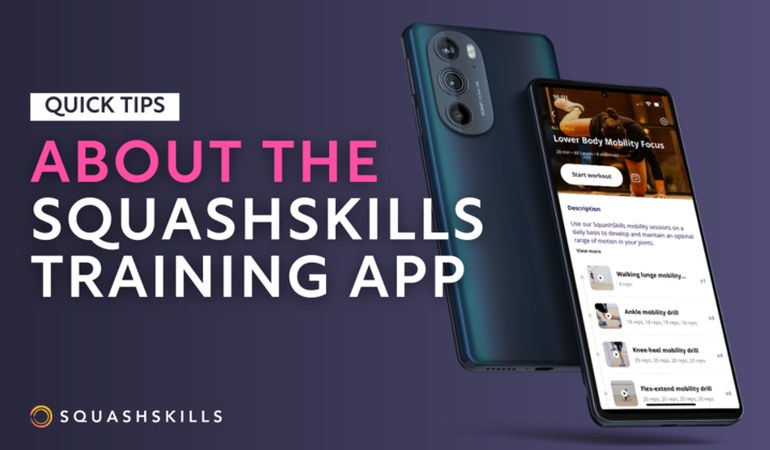
Features: A training platform with a large library of squash coaching videos and ready-made practice sessions. The app provides solo drills, pair drills, and fitness workouts designed by top coaches.
Users can schedule sessions, get reminders, follow along offline, sync with Apple Health, and track goals and personal bests. Content is updated regularly, and there is a worldwide community for motivation. It suits all skill levels, from complete beginners to advanced.
Pros:
- Combines technical video tutorials with structured training plans, all created by experienced coaches.
- Integrates fitness tracking and goal-setting to monitor progress.
- Players credit it with helping improve squash-specific fitness and skills.
Cons:
- Full access requires a paid membership (roughly $13 to $19 per month, or discounted annual plans).
- Some users want better app and web integration, but content quality is high.
2. SquashLab (Liz Irving's SquashLab App)

Website: squashlab.net
Platforms: iOS and Android
Pricing: Freemium. The app is free to download (with free coaching videos and a short trial); structured programs are in-app purchases, with a 7-day free trial for any program.
Features: A coaching and training app founded by former World No. 2 Liz Irving, coach of 8-time world champion Nicol David. SquashLab offers curated coaching videos (free troubleshooting tips for quick fixes) and personalized training programs.
Players can take a self-assessment quiz, and the app recommends an appropriate training level (Beginner, Intermediate, or Advanced). Each training program is a 6-week course with weekly lessons and drills, covering warm-ups, technique lessons, drills for the week, and cool-downs. There is a weekly progress tracker and a built-in journal for players to record notes and monitor improvement.
Pros:
- Content is developed by an accomplished coach, with sound technique and structured lesson plans for all ages and skill levels.
- The app has distinct Level 1 to 3 programs for each category (Beginner, Intermediate, Advanced).
- It also includes extra content, such as Nicol David fan club videos, to keep users engaged.
Cons:
- To unlock full programs, users must purchase the level packages.
- The app has many free tips, but committed training requires payment after the trial.
- It is a high-value resource geared toward those willing to follow a multi-week curriculum.
3. SquashAnalysis Training App (Skills Challenges)
Website: squashanalysis.com
Platforms: iOS, Android
Pricing: Levels 1 to 2 free, then a one-time purchase to unlock Levels 3 to 10 (lifetime access).
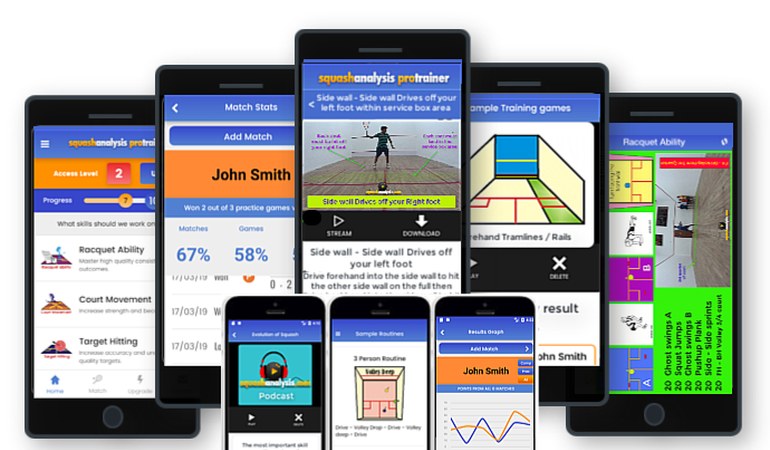
Features: Developed by SquashAnalysis.com (coach Garry Pedersen), this app offers structured squash skills challenges and drills. The content is organized into Levels 1 through 10, with Level 1 being beginner-friendly and Level 10 targeting elite skills.
Levels 1 and 2 are free so players can get started, and Levels 3 to 10 can be unlocked via a single purchase (no subscription). The app includes many individual challenges covering technical skills (shots, accuracy, ball control), fitness (ghosting circuits, speed tests), and tactical scenarios.
As you practice, you can log your results, track progress, and earn certificates for completing each level. There are also technical resources such as animated drill diagrams, routines, and podcasts with tips to supplement the challenges.
Pros:
- A comprehensive training pathway from beginner to elite, all in one app.
- Good for self-motivated players, with a new target or benchmark to strive for and a visual record of improvement over time.
- The one-time purchase model is cost-effective compared to recurring subscriptions, with a large amount of content for the investment.
Cons:
- The app's depth can be overwhelming at first, and it is more about structured practice routines than on-demand coaching videos.
- It may lack the polished interface of some commercial apps, but it is packed with substance.
- Best suited for players who enjoy self-driven practice and measurement.
4. SmartSquash AI
Website: smartsquash.ai
Platforms: Web platform (accessible via browser on any device; no separate app needed)
Pricing: Subscription-based, with a limited free trial. Plans start around $14.99 per month for casual use, up to about $49.99 per month for unlimited analysis.
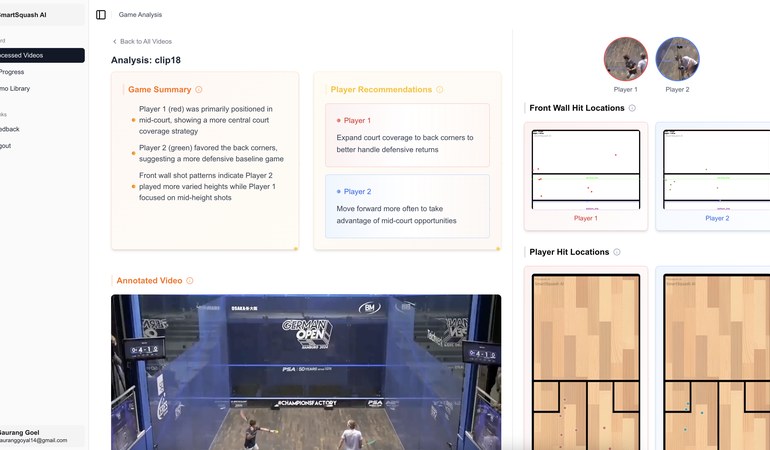
Features: An AI-powered match analysis tool that helps players and coaches gain insights from their game footage. With SmartSquash, you upload videos of your matches (or training sessions), and the AI breaks down your performance.
It provides stats and visualizations, for example: shot-by-shot analysis, rally heatmaps showing where you covered the court, ball placement spray charts, and metrics like how often you controlled the T, how far you ran, and your average shot speed. The platform then offers data-driven coaching tips, highlighting your strengths, weaknesses, and patterns to work on. It is useful for players of all levels, from casual club players to professionals.
Pros:
- Brings advanced analytics to any player with a camera, so you can objectively see things like which rallies you tend to win, or how an opponent scores against a particular shot.
- The visual feedback (heatmaps, charts) makes it easy to identify what to practice.
- Coaches can save time on video analysis by letting the AI do the work.
Cons:
- It requires recording your matches (decent quality video from a good angle), which not everyone has readily available.
- The service is paid, so after any free trial you will need a subscription, and it can be costly if you want to analyze many matches (the Starter plan allows one match per month at $14.99, with higher tiers for more).
- For those serious about improvement, the insights can be worthwhile.
5. interactiveSQUASH (LYMB.iO App)
Website: interactivesquash.com
Platforms: iOS, Android
Pricing: Free app, but requires access to an interactiveSQUASH court (special hardware installed at certain clubs and courts; not a standalone at-home tool).
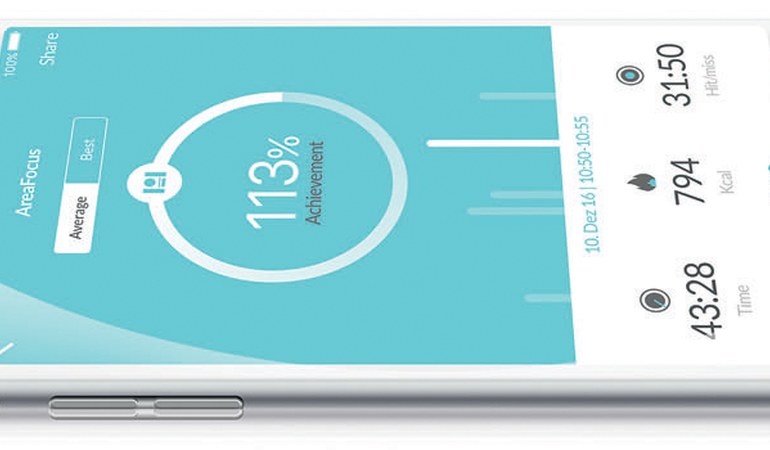
Features: This app pairs with the interactiveSQUASH system, a squash court equipped with front-wall projection and sensors. The LYMB.iO app lets players control the smart court, track performance data, and play training games.
With the app, you can select training modules or games on the court (for example, targets projected on the front wall, or patterns to hit). The court's sensors detect your shots in real time, and the app provides instant visual feedback on metrics like where your shots hit the wall, the speed of your shots, and your reaction time.
After a session, you can review detailed analysis on the app: it shows statistics such as the consistency of different shots, areas of the court you used, and comparisons over time. Coaches find this useful because it objectively shows where a player's shots are going.
Players of all levels benefit: beginners get a game-like introduction and can see proper targets, while advanced players can train with precision and measure improvements. There are also global leaderboards and competition modes.
Pros:
- It gamifies squash practice and makes drilling alone more engaging.
- The real-time feedback loop is effective: you immediately see if you are hitting too many shots too low or too central, allowing you to adjust on the fly.
- It is also social and competitive if you want it to be, with worldwide challenges via the app.
- The hard data (speed, accuracy) means you can quantify your skill development.
Cons:
- You need to be at a facility that has an interactiveSQUASH court installed.
- These are still relatively few (often in major cities or national training centers), and the hardware is expensive.
- For those who do have access, the app is free and adds value, but for most players it is a glimpse of the smart-court future of squash training.
6. SquashSkills Ghosting App
Website: squashskills.com
Platforms: iOS (iPhone and iPad)
Pricing: Free download with basic features; advanced features are a one-time purchase ($4.99) or free if you have a SquashSkills subscription.
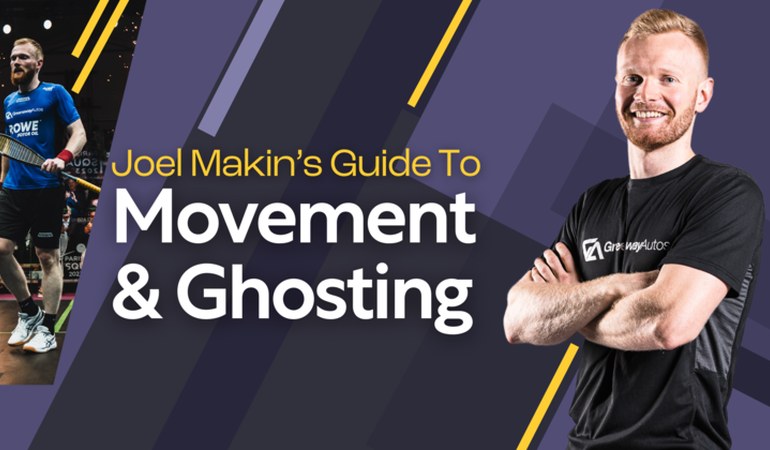
Features: This app focuses purely on ghosting, the squash footwork drill, and is developed in partnership with SquashSkills. Ghosting involves moving to various corners of the court without a ball, to train movement and fitness.
The app makes ghosting sessions structured and engaging. You can customize sessions extensively:
- Set how many sets and moves per set.
- Adjust the time per move and rest periods.
- Add a slight random timing offset to mimic real rally unpredictability.
The app then guides you through the session with audio cues: a voice calls out directions (such as "front left" or "back right") so you move as if reacting to an opponent's shot. You can choose different voice options, and enable shot-type prompts (like "boast" or "drive") for more realism (these advanced patterns require the upgrade).
The app can play your own music in the background, lowering the volume when giving instructions, and it runs in the background even if your device is locked.
Pros:
- Highly configurable, whether you want a simple 5-minute movement warm-up or a 30-minute intensive ghosting workout.
- By randomizing patterns and including shot names, it keeps the practice closer to real-match movement. It is like having a coach on court calling routines for you.
- Over time, this improves your speed, court coverage, and footwork efficiency.
- If you already subscribe to SquashSkills, you get all features unlocked.
Cons:
- The app was initially iOS-only.
- The free version is functional but limited to basic patterns; to get the full benefit (random and directional variations), you need the paid Options Package upgrade, though $4.99 is a low cost.
- It is a specialized tool, so use it specifically for movement training alongside other apps that cover technical skills.
7. Go To The T! (AI Ghosting Trainer)
Website: gotothet.com
Platforms: Android, iOS (and web via a progressive web app)
Pricing: Free 14-day trial, then requires purchasing a license (3, 6, or 12 months) via in-app purchase. Licenses are affordable and do not auto-renew by design.
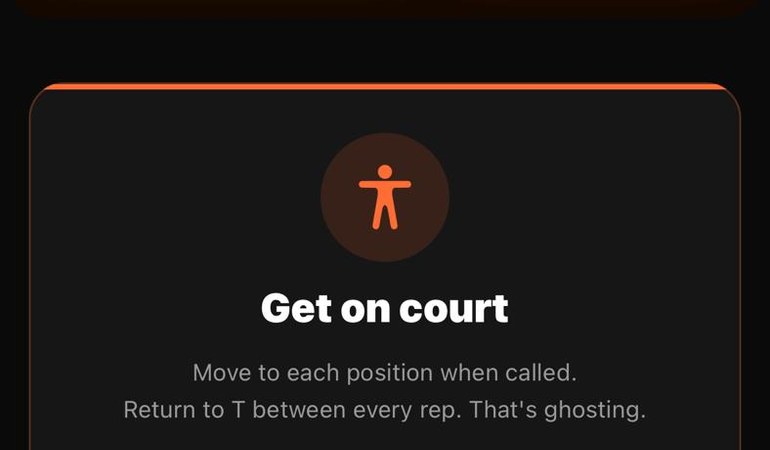
Features: Go To The T uses your device's camera and AI to interact with you during the workout. The app watches your movements on court in real time and adapts the ghosting exercise accordingly.
You set up your phone so the camera can see the court, and as you ghost, the app knows when you have reached each target position. It times your movement and decides when to call the next shot or direction, so if you are too slow it might wait or push you, and if you are moving quickly it can intensify the drill. The unpredictability simulates a real match's pace.
You can choose from predefined training profiles or customize your own, for example to focus on certain patterns or to emulate a particular opponent style (more front-court versus back-court, random versus structured movements). The AI tracking provides statistics after each session, such as how fast you moved to each position, your reaction time, and endurance metrics. It logs your performance over time so you can see improvements in your movement efficiency and fitness.
Pros:
- About as close as it gets to having a coach feeding you balls for a solo session. By knowing your position, the app can ensure you are completing the ghosting patterns correctly.
- It is personalized and adaptive, targeting your weaknesses and pushing you harder as you get fitter.
- The statistical feedback is good for competitive players, who can track their average time to reach the front corners over a month of training.
- It makes ghosting more game-like and intense, which translates into better on-court movement.
Cons:
- You need to set up the phone camera at a good angle and have sufficient lighting for the AI to track you accurately, which takes some initial setup.
- After the trial you will need to pay for a license; the developers intentionally avoid auto-renew subscriptions, but it is a paid product.
- The app's focus is on movement and fitness, so it does not give feedback on stroke technique (no swing analysis), and it complements rather than replaces other coaching resources.
Comparison Table of Squash Training Apps
| App | Platforms | Pricing | Focus and key features |
|---|---|---|---|
| SquashSkills Training | iOS, Android | Subscription (monthly/annual) | Video coaching library; ready-made solo and fitness sessions; progress tracking; all skill levels. |
| SquashLab | iOS, Android | Freemium (free basics plus paid courses) | Liz Irving's coaching videos; personalized 6-week programs (Beginner to Advanced); assessment and progress logs. |
| SquashAnalysis App | iOS, Android | Free Levels 1 to 2; one-time purchase for full access | Hundreds of skills challenges (Levels 1 to 10); certificates and stats tracking; technical tutorials (beginner through elite). |
| SmartSquash AI | Web (any device) | Subscription (from about $15 per month) | AI match video analysis; detailed performance stats (heatmaps, shot charts); personalized improvement insights. |
| interactiveSQUASH | iOS, Android | Free app (needs special court) | Smart court integration; real-time shot feedback; training games on court; personal shot speed and accuracy stats. |
| SquashSkills Ghosting | iOS | Free (full features $4.99 or included in subscription) | Custom ghosting drills; audio guided movement; configurable patterns and shot call-outs; music integration. |
| Go To The T! | iOS, Android | Free 14-day trial, then paid license (3, 6, or 12 months) | AI-powered ghosting coach; uses camera to track your movement; adaptive and randomized ghosting sessions; session performance stats. |
Each of these apps offers something different to help improve your squash game. Whether you need structured coaching, challenges, fitness and footwork training, or match analysis, there is an app above that can support your skill development.
Consider your own level and goals when choosing, and many of these apps have free trials or content, so you can try them out and see which fits best with your training style.